The £ That Vanished: Untangling UK Keyboards on Linux
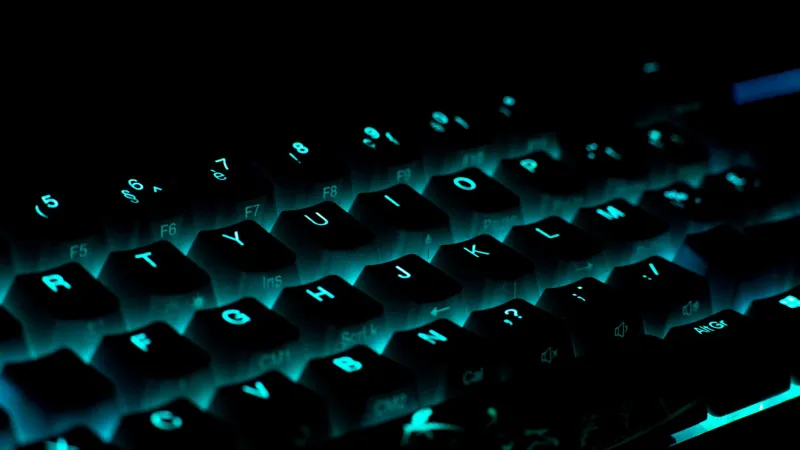
It usually starts with a small betrayal. You SSH into a box from a laptop in a Manchester co-working space, type a command, reach for the £ sign in a script, and get #. Or the @ in an email address arrives as something else, the backtick refuses to open a command substitution, and the hash you need for a comment has wandered off to a different key. Nothing is broken, exactly. The layers that turn a keypress into a character have simply stopped agreeing with each other.
The layers are the point
On Linux, a keypress passes through more layers than most people expect. The kernel console has a keymap. The display server or compositor has an XKB layout. The terminal emulator may have its own idea. The shell and the locale decide how bytes are interpreted and displayed. SSH adds a remote host to the chain, and containers add another environment on top. A UK layout is not one setting; it is a small stack of settings that need to line up.
That is why the same laptop can produce a perfect £ in Firefox, a # in a terminal window, and a question mark inside a Docker container. Each layer is doing what it was told, but they were told different things.
Console keymap versus desktop layout
The first split is between the text console and the graphical desktop. The console keymap is often named uk. The XKB layout used by X11 and many Wayland compositors is usually named gb. That naming difference trips people up constantly.
Start with:
localectl status
On a systemd machine, you can set the console keymap and the XKB layout separately:
localectl set-keymap uk
localectl set-x11-keymap gb
On Debian and Ubuntu, dpkg-reconfigure keyboard-configuration writes the console and X11 settings. On Arch, check /etc/vconsole.conf and the desktop's XKB configuration. For a quick X11 test, setxkbmap gb will change the layout for the current session, but it will not survive a reboot and it will not fix the console.
If the console is wrong but the desktop is right, or the other way around, you have found the layer without touching anything else. Do not start changing locale variables yet.
Locale is not keymap
Locale variables do not remap keys. LANG, LC_CTYPE and their friends tell programs how to classify characters, sort text, format dates and handle encoding. A container with LANG=POSIX can still receive the right bytes from your terminal and then display £ as a question mark or refuse to handle it in a script.
Check with:
locale
echo $LANG
printf '%s' '£'
If UTF-8 is missing, set LANG=C.UTF-8 or install and configure a UTF-8 locale. On a minimal container image, you may need to generate the locale first. This is a display and encoding problem, not a keyboard problem, and it deserves a different fix.
Terminal emulators and SSH
Most terminal emulators have a setting such as use system keyboard layout or a per-window layout. If that is set to US while your desktop is UK, the terminal will send US characters even though every other app is fine. Over SSH, the local terminal usually sends characters, not keycodes. The remote shell receives whatever the local terminal produced. So a remote host with gb configured can still see the wrong character if the local terminal is in the wrong mode.
Test locally first: type a pound sign, a hash, an at sign and a backtick in a local terminal and a remote one. If local is wrong, fix the terminal. If local is right and remote is wrong, look at the remote locale and the application. Do not assume the remote host is at fault just because it is the one printing the strange character.
Containers inherit more than you think
Containers inherit the terminal of the host process, but their environment can be minimal. A docker exec -it session may have no locale at all. The keymap is not remapped inside the container; the terminal still sends bytes. The usual symptom is not a wrong key but a wrong display: £ becomes a box, or a Python script throws a UnicodeEncodeError.
Set LANG=C.UTF-8 in the container environment and make sure the image has a UTF-8 locale. For scripts that parse machine output, use LC_ALL=C deliberately, but do not use it for user-facing text that contains £. Keep the two intentions separate: predictable parsing and correct human-readable output.
A checklist that actually ends
- Reproduce the problem in one place only: local console, desktop terminal, SSH session or container.
- Run localectl status on the desktop and on the remote host.
- Check the console keymap and the XKB layout. Expect uk for the console and gb for XKB.
- Check the terminal emulator's keyboard layout setting.
- Run locale and echo $LANG locally, remotely and inside the container.
- Test the four characters: pound, hash, at sign and backtick. Use printf '%s' '£' and printf '%s' '@' as simple checks.
- If a script breaks, separate encoding from keymap. Use file, iconv and LC_ALL=C.UTF-8 where appropriate.
- Record the fix in your runbook so the next person does not repeat the whole investigation.
Do not break scripts while fixing your keyboard
Changing a keymap should not change the bytes in a file. Changing a locale can change sorting, date formats and how tools like sort, grep and awk behave. If you set LC_ALL=C to get predictable parsing, do it only for that command, not globally. If you need £ in output, use UTF-8 and test with hexdump or od if you are unsure. Keep scripts explicit: quote variables, avoid locale-dependent ranges, and set the locale at the top of the script only when you mean it.
The £ sign is a good canary. When it disappears, it is telling you which layer lost the plot. Fix the layer, not the symptom, and the hash, at sign and backtick will usually come home with it.